


Take your Screenshots on Windows with Lightscreen
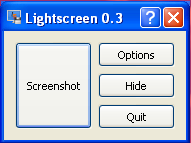
For Windows only: This newly released free and open source application offers a very easy, intuitive and lightweight interface for taking screenshots.
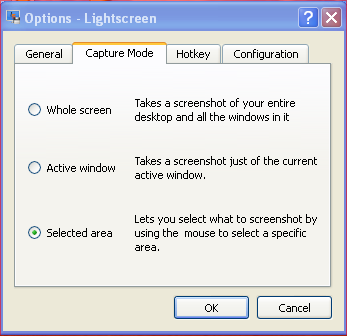
If you’ve ever used Gimp for taking screenshots then you’ll find yourself immediately comfortable with Lightscreen.
It is compiled with C++ and goes with all 32-bit MS Windows – from Windows 95 to XP (for now its only for Windows, source codes are also available).
Before taking your first screenshot, you’ll have to choose a folder where your screenshot would be saved; Click-on Options and go to the General Tab.There you can also choose the format in with the screenshots would be taken; PNG, JPG; BMP, PPM, XBM, TIFF.
In the Caption tab you can choose how to take the screenshot; Whole screen, Active Window or Selected Area. I used selected area to take the screenshots of this post.
In the Hotkey tab you can create Keyboard shortcuts for taking screenshots.
On the Configuration tab you could make it become a service; change image quality; increase/decrease the delay time before screenshots are taken.
Lightscreen is released under the GNU General Public License (GPL)
12:47 pm on January 4th, 2008
Taken my first screenshots ever
12:51 pm on January 4th, 2008
Seems extracted from gimp
8:48 am on April 7th, 2008
Hey there,
Thanks very much for this blog post. Had been searching this tool for quite some time.
Warm Regards from India,
Rahul
1:22 am on July 20th, 2008
Print Screen and MSPaint does the job for me
6:53 pm on July 8th, 2009
[…] Windows only: The guy at PotableApps.com have released version 1.0 of Lightscreen Portable. Lightscreen is a lightweight open-source application that has only one purpose, taking screenshots. With no […]
8:07 am on June 26th, 2010
GPL? Not really, the license says GPL, it’s hosted on SF, but there are no files besides the installer’s posted. Will log into SF and dig about.
Nice prorgam though